-
Rafe on conflicting images of Iran. We're only getting one view of the country in our major media outlets, but the social Web provides a more nuanced, complete view.
-
haha, let fate determine where you should eat! Jim put together a fun visualization of Yahoo! Local business entries.
photography
Going Off the Flickr Grid
When I started this site in 1998, one of the first things I posted was a set of pictures I took on a walk through Downtown Lincoln, Nebraska. The gallery is a bit clunky (both the photos and the design), but I put it together by hand and it worked. Over the years I've posted numerous galleries here, as you can see on my photos page. In 2003 I set up a way to automatically publish pictures from my cell phone to the web: Mophos Moblog. (It still has my old design.) In 2004 I set up a separate photoblog (2004 archive, 2005 archive) where I could easily post any photo without interrupting my text blog or without having enough photos for a full gallery of related pictures.
Even though I have all of these home-grown tools for posting photos, almost all of my photo activity here at onfocus.com stopped in 2006. (The last photo on my photoblog is from July 3rd, 2006. And the last gallery I posted is from February 27th, 2006.) Part of the problem is that I'm simply not taking as many photos these days. And the other problem is that I'm using the fantastic photo-sharing application Flickr (my Flickr photostream). Every photo that I want to share online goes directly to Flickr where I know it will be seen by my Flickr pals. And if someone isn't yet a Flickr pal and I'd like them to see a photo or two, I just send them to my Flickr photostream. I love Flickr so much that I even wrote half of a book about all the cool stuff you can do with it called Flickr Hacks. My online photo life has moved entirely over to Flickr.
Unfortunately, my inner geek isn't completely thrilled with my move to Flickr. As much as I believe Flickr is a revolutionary application, a part of me is sad to see onfocus.com go without photos. And another part of me thinks that all of the awesome stuff that Flickr enables (community, conversation, collaboration, cataloging, aggregation, and so much more) should be done in a distributed way across the Web. The Web geek in me feels that photo sharing shouldn't be owned by any one company, and photos themselves should ultimately be under the control of individual photographers.
I know this vision of distributed photo-sharing doesn't seem realistic right now, but it is happening. Photobloggers post across servers and domains with widely varying software and somehow aggregators are able to pull their photos together in unique ways thanks to standard feed formats. (I still use blogging software I wrote myself, yet I can join in the larger blogosphere because any news reader can pick up my feeds.) Of course enabling ad-hoc groups is impossible without a centralized application—and identity management/access control (photos for friends/family only) is next to impossible in a distributed fashion. But I believe the tools will get there. And I'd like to start living in my distributed-photo-utopia once again.
I realize that not everyone has the means and ability to manage their own server space. But as a do-it-yourself Web guy I have both, and I'd like to get back ultimate control over my photos. Over the next few weeks (months?) I'm going to re-write my personal photoblogging software from scratch. My first task will be to gather the 500+ photos I've already uploaded to Flickr, because their API makes it possible to export my photos. I'm hoping to document my progress along the way, in case my steps can help anyone else out there who wants to go the DIY route. Going off the grid (so to speak) won't be easy, but I just need to remember that I've been there before.
Progress so far:
Even though I have all of these home-grown tools for posting photos, almost all of my photo activity here at onfocus.com stopped in 2006. (The last photo on my photoblog is from July 3rd, 2006. And the last gallery I posted is from February 27th, 2006.) Part of the problem is that I'm simply not taking as many photos these days. And the other problem is that I'm using the fantastic photo-sharing application Flickr (my Flickr photostream). Every photo that I want to share online goes directly to Flickr where I know it will be seen by my Flickr pals. And if someone isn't yet a Flickr pal and I'd like them to see a photo or two, I just send them to my Flickr photostream. I love Flickr so much that I even wrote half of a book about all the cool stuff you can do with it called Flickr Hacks. My online photo life has moved entirely over to Flickr.
Unfortunately, my inner geek isn't completely thrilled with my move to Flickr. As much as I believe Flickr is a revolutionary application, a part of me is sad to see onfocus.com go without photos. And another part of me thinks that all of the awesome stuff that Flickr enables (community, conversation, collaboration, cataloging, aggregation, and so much more) should be done in a distributed way across the Web. The Web geek in me feels that photo sharing shouldn't be owned by any one company, and photos themselves should ultimately be under the control of individual photographers.
I know this vision of distributed photo-sharing doesn't seem realistic right now, but it is happening. Photobloggers post across servers and domains with widely varying software and somehow aggregators are able to pull their photos together in unique ways thanks to standard feed formats. (I still use blogging software I wrote myself, yet I can join in the larger blogosphere because any news reader can pick up my feeds.) Of course enabling ad-hoc groups is impossible without a centralized application—and identity management/access control (photos for friends/family only) is next to impossible in a distributed fashion. But I believe the tools will get there. And I'd like to start living in my distributed-photo-utopia once again.
I realize that not everyone has the means and ability to manage their own server space. But as a do-it-yourself Web guy I have both, and I'd like to get back ultimate control over my photos. Over the next few weeks (months?) I'm going to re-write my personal photoblogging software from scratch. My first task will be to gather the 500+ photos I've already uploaded to Flickr, because their API makes it possible to export my photos. I'm hoping to document my progress along the way, in case my steps can help anyone else out there who wants to go the DIY route. Going off the grid (so to speak) won't be easy, but I just need to remember that I've been there before.
Progress so far:
- OTFG Step 1: Setting the Stage
- OTFG Step 2: Thinking about Photo URLs
- OTFG Step 3: Registering the Import Script
- OTFG Step 4: Running the Import Script
- OTFG Step 5: Setting Up Sets
- OTFG Step 6: The Trouble With Comments
- OTFG Step 7: Importing Notes
- OTFG: Woops, Rotating Images
- OTFG Step 8: Resizing Images
- OTFG Step 9: Authentication
- OTFG Step 10: Adding Photos
- OTFG Step 11: Displaying and Editing Photos
-
handy guide for installing/integrating subversion with the Mac Finder, and the svnX GUI.
-
Nice! This new feature at Flickr shows you which cameras are most used across Flickr photos. (Featured Model is a sponsored placement.)
-
Yet another site you can ping when you update your blog. This one's for Google's Blog Search. Ping!
-
Nice tutorial that shows how you can saturate the colors in a photo by switching to Lab Color mode and messing with the channels. [via nelson]
-
search for code in specific languages (except VB?) from across the web.
-
lectures from UC Berkeley classes online. [via Searchblog]
-
"But simply by enhancing my ability to google, this guide -- now in a meaty third edition -- is worth the price. It's the Missing Manual to Google." - Kevin Kelly
-
Jason's vacation photos from Austria are great.
-
This is a colorful headline from The Money Times. They could have had a trifecta by working in the phrase "thin blue line".
-
Climatologist James Lovelock: "Our global furnace is out of control. By 2020, 2025, you will be able to sail a sailboat to the North Pole. The Amazon will become a desert, and the forests of Siberia will burn and release more methane..."
-
Google's Flickr competitor (via nelson)
-
add geo data to photo exif data
I'm going to start pulling my del.icio.us links in as a post like the cool kids do. Here are the links from yesterday to kick things off...
-
fantastic idea: fuzzy geocoding
-
Flickr now has built-in geotagging/mapping. Now if cameras would just build a GPS in...
-
Upcoming and Flickr integration, Upcoming and Yahoo! Local integration. New design. The "Undiscovered Events" feature is particularly nice. fun stuff!
-
Great analysis of Google Apps, and why it's not an Office competitor
-
sounds like this was an interesting talk at Foo Camp.
-
Now you can hire MeFites. They're good folk.
eJournal USA mentions onfocus
The US Department of State mentioned this site in their monthly eJournal, an issue called Media Emerging. It was in an articled about online photo journals, and you can see the article here: Online Albums. Click Enter Album to see all of the photoblogs mentioned. They also have an article about blogs: Bloggers Breaking Ground in Communication. It's great to be mentioned as a photoblogger even though I don't necessarily think of myself in that category anymore. But it's a good reminder that I should keep posting photos. They contacted me about the article a week or two ago and it was strange to see an email in my inbox with the subject, request from U.S. Dept of State.
More Mexico Photos
If you like photos of statues and water check out 10 more photos from my trip to the Mexico Coast.
Lensbaby 2.0
I had an early Christmas with my folks this year, and waiting for me under the tree was a Lensbaby 2.0. I've been having fun figuring out how to use it. Here's one of the first pictures I took with it:
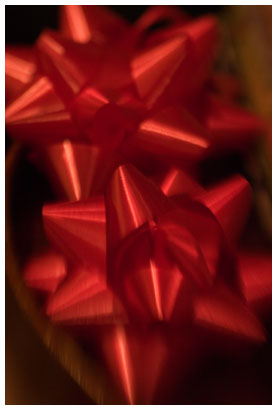
One thing that's frustrating about the lens is that you can only change the aperture by physically adding small metal discs to the lens which are held in place with magnets. It's a bit cumbersome when you're out and about trying to take blurry pictures of trees. But I guess that's a limitation that comes with a flexible, bendy lens.
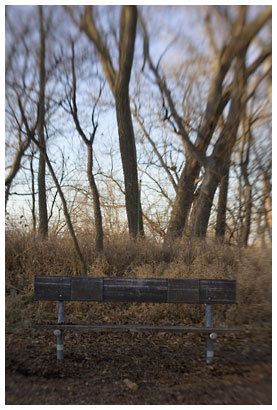
Also, I have no idea which aperture was in for a given picture. I'm so used to being able to check the exif data on a digital picture, that it's frustrating to loose that. I can't just load the picture and see what the aperture was set at. I might have to resort to carrying a notebook and jotting down aperture disk switches.
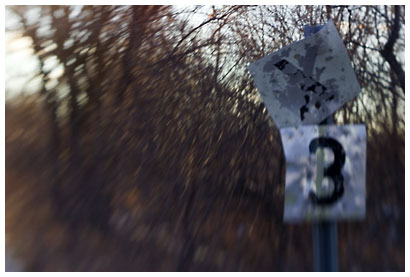
What I like about the Lensbaby is that you loose some control. While I usually try to have everything in focus, avoid motion blurs, lens flares, and all of the annoying accidents that can ruin a photo, they're all a part of the grammer of photography. That's why Holgas and Lomos are so popular—not because they take spectacularly clear photographs, but because so many happy accidents happen while you're using them. The Lensbaby is also an accident enabler.
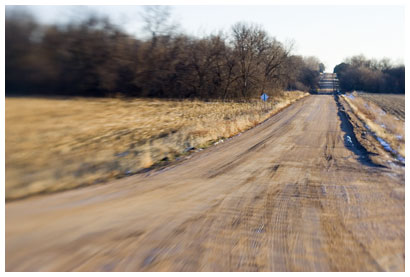
I took these photos on a walk just outside of Lincoln, Nebraska last week.
One thing that's frustrating about the lens is that you can only change the aperture by physically adding small metal discs to the lens which are held in place with magnets. It's a bit cumbersome when you're out and about trying to take blurry pictures of trees. But I guess that's a limitation that comes with a flexible, bendy lens.
Also, I have no idea which aperture was in for a given picture. I'm so used to being able to check the exif data on a digital picture, that it's frustrating to loose that. I can't just load the picture and see what the aperture was set at. I might have to resort to carrying a notebook and jotting down aperture disk switches.
What I like about the Lensbaby is that you loose some control. While I usually try to have everything in focus, avoid motion blurs, lens flares, and all of the annoying accidents that can ruin a photo, they're all a part of the grammer of photography. That's why Holgas and Lomos are so popular—not because they take spectacularly clear photographs, but because so many happy accidents happen while you're using them. The Lensbaby is also an accident enabler.
I took these photos on a walk just outside of Lincoln, Nebraska last week.
Bend Trip Photos
sk and I just got back from a weekend in Bend, Oregon. It was our first time there and we had a blast. Our first night in town, we met up with Jake and his wife and heard about Bend through the years. Other highlights included visiting several Cascade Lakes for canoing and hiking, dinner at the Blacksmith, a quick hike at the Lava Lands Visitor Center, a noisy thunderstorm, and some time at the High Desert Museum. This morning we drove to the top of Pilot Butte and got a sense of how Bend is laid out, and saw a 360 degree view of the mountains around Bend.
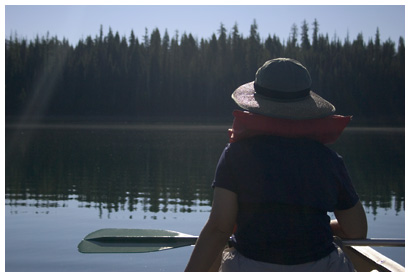
The top highlight for me was an early morning canoe trip around glassy Elk Lake.
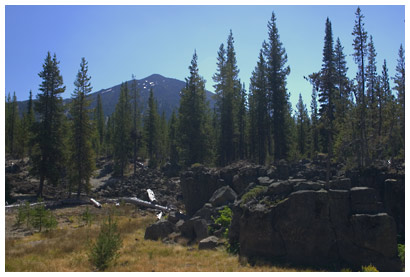
The top photographic highlight for me was Sparks Lake, and I took quite a few photos there including this shot of Mt. Bachelor and some lava formations:
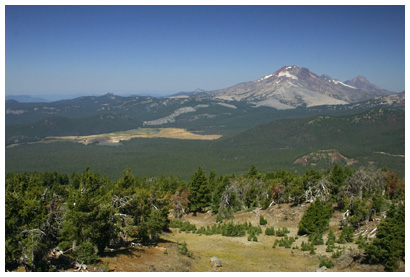
We also rode the ski lift to the top of Mt. Bachelor for an overview of the Cascades. Here's a look at the Three Sisters and Sparks Lake from above:
I put up a gallery of 13 more Bend photos if you want to see more scenery from the trip. There's so much to explore around Bend, I feel like we've just scratched the surface. I'm already looking forward to my next trip there.
The top highlight for me was an early morning canoe trip around glassy Elk Lake.
sk paddle break
The top photographic highlight for me was Sparks Lake, and I took quite a few photos there including this shot of Mt. Bachelor and some lava formations:
Mt. Bachelor from Sparks Lake
We also rode the ski lift to the top of Mt. Bachelor for an overview of the Cascades. Here's a look at the Three Sisters and Sparks Lake from above:
Three Sisters and Sparks Lake from Mt. Bachelor
I put up a gallery of 13 more Bend photos if you want to see more scenery from the trip. There's so much to explore around Bend, I feel like we've just scratched the surface. I'm already looking forward to my next trip there.
Hawaii Pictures
Aloha! sk and I just got back from our Christmas in Hawaii. We went to Honolulu and stayed in one of the many, many hotels in Waikiki. (Our room had an amazing view of the beach.) It's the closest I've ever been to the equator, and as you might expect the weather was warm and humid. (Not quite as warm and humid as Nebraska in late August, but close.) The city seemed like it was inhabited only by tourists, and it was rare to see a Hawaiian going about their daily routine that didn't involve tourism. (Especially in Waikiki.)
Of course news of the tsunamis cast a shadow on our trip. The ocean is ever-present in Hawaii, and it's hard to imagine something so beautiful causing incomprehensible destruction. The local news assured everyone that a tsunami wouldn't be as destructive in Hawaii. I feel strange posting tropical vacation photos in light of the worst natural disaster of our lifetime. Even though the pictures and videos we're all seeing of waves, palm trees, and the ocean are devastating—there is a peaceful side.
Now my feet are back in their sock-prisons, I'm re-learning what day of the week it is, and I'm getting used to seeing the outside world through windows. Here are some photos from the past few days.
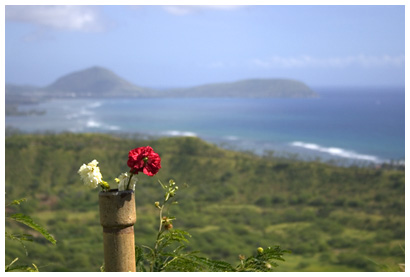
Of course news of the tsunamis cast a shadow on our trip. The ocean is ever-present in Hawaii, and it's hard to imagine something so beautiful causing incomprehensible destruction. The local news assured everyone that a tsunami wouldn't be as destructive in Hawaii. I feel strange posting tropical vacation photos in light of the worst natural disaster of our lifetime. Even though the pictures and videos we're all seeing of waves, palm trees, and the ocean are devastating—there is a peaceful side.
Now my feet are back in their sock-prisons, I'm re-learning what day of the week it is, and I'm getting used to seeing the outside world through windows. Here are some photos from the past few days.
flowers on Diamond Head (click for more)
I had a great time in Hawaii—hopefully I'll get to visit again sometime. Happy New Year!